



Worldwide, more than three billion people use WhatsApp, enabling instant communication through text, voice & video calls, and group chats. The massive global user base makes WhatsApp a significant source of OSINT. Even though message content is protected by end-to-end encryption, valuable intelligence can still be derived from associated metadata and open info such as profile names, photos, status messages, phone number linkage, timestamps and group associations. Data obtained from WhatsApp can often be used as a high-value enrichment layer making it a strong pivot point for identity correlation.
WhatsApp OSINT Methods
Here we go through some simple and commonly used WhatsApp OSINT techniques.
Google Dorking for WhatsApp Group invites
Most WhatsApp investigations begin with a basic online search. Sometimes websites, forums, or online listings display WhatsApp group links, business information, or phone numbers, even though WhatsApp itself doesn't openly show this kind of data. The information you find on Google isn't taken from WhatsApp; it's publicly available on other websites.
Investigators can typically use the following search patterns site:chat.whatsapp.com on Google.
https://www.google.com/search?q=site:chat.whatsapp.com&filter=0
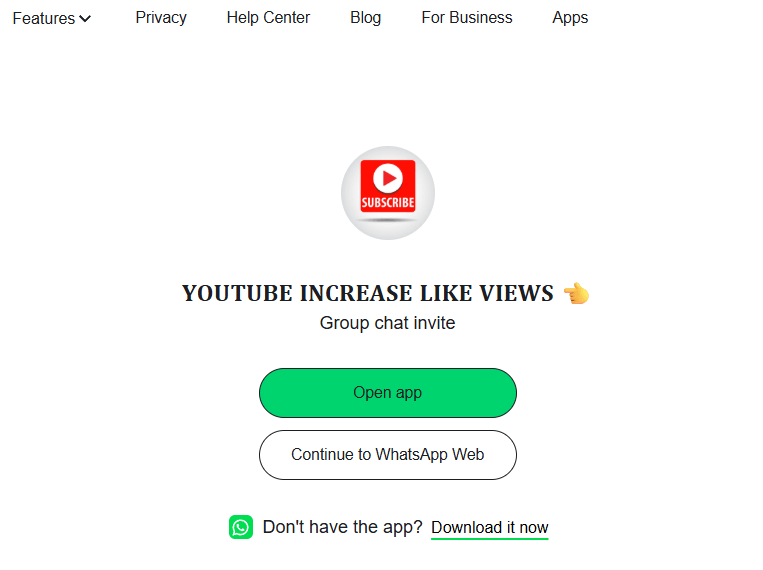
This dork will find open WhatsApp group invites floating around online. These links sometimes show what the chat is about. A look might expose who runs it, including admin phone details. Depending on the group's privacy settings, you may be able to add yourself to the group.
Below is an example of an open WhatsApp Group invite.
Another dork that can be used is: site:wa.me
https://www.google.com/search?q=site:wa.me&filter=0
These wa.me links are often associated with WhatsApp Business accounts rather than Groups. You can gather the Business name and/or a photo associated with that account upon opening these links.
Phone Numbers as Starting Points for OSINT Investigations
A single phone number associated with WhatsApp can significantly narrow the scope of an investigation, serving as a strong identifying element rather than just a basic contact detail. It often carries substantial evidentiary value when mapping connections and can stand out as a meaningful data point rather than incidental background information.
Investigative workflows often begin with a phone number, using it to:
- Link disparate digital accounts
- Establish geographic and jurisdictional relevance
- Track persistence of identity across platforms and time
WhatsApp Web
The simplest way to find out if a phone number exists on WhatsApp is to add it as contact on the mobile application. If you do not want to add the phone number as a contact you may also try the below method to get the details about the phone number using WhatsApp Web.
Make sure you are already logged in to WhatsApp Web and then open the below URL. Please replace the phone number with your target phone number in E164 international format.
Example: https://web.whatsapp.com/send?phone=+18556431873
When you visit this link, WhatsApp Web verifies whether the phone number is registered on the platform. If the number exists, it opens a chat window so you can begin communicating. If the number is not registered, a notification message is displayed indicating that the number is not on WhatsApp.
When you click on the user's title bar at the top of the chat, you can view additional details about the account depending on the user's privacy settings. These may include the profile picture, status message, and, if it is a business account, business-related information.
Tools for data extraction from WhatsApp
You may also use open-source projects such as whatsapp-web.js (https://github.com/pedroslopez/whatsapp-web.js) to automate certain aspects of data collection and analysis.
Reverse Phone Lookup services
Reverse phone lookup services such as SpotThem OSINT allow you to retrieve publicly available WhatsApp-related details without manually checking through your own account. By simply entering a phone number, you can access any information that is openly accessible, along with aggregated data from 700+ additional sources - all in a single search, with minimal effort.
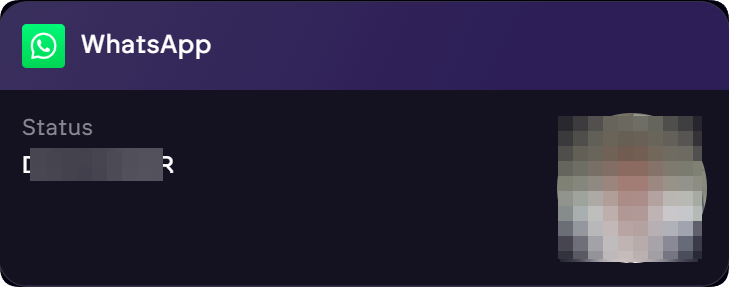
SpotThem OSINT also extracts any hidden metadata that may be useful to investigators such as the below example:
When registering a new WhatsApp Business account, the application automatically detects the device's timezone and associates it with the account. This can provide an indication of the geographic region where the device is located at the time of registration.
If there is a mismatch between the phone number's country code and the timezone displayed in the WhatsApp Business account details, it may suggest that the number was registered or used on a device set to a different geographic location.
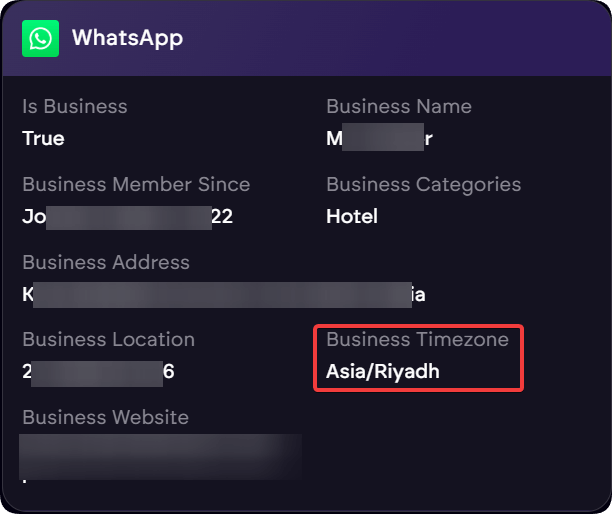
For example, in the screenshot above, the target phone number is registered in the United States, but the WhatsApp details display a different timezone.
Always comply with all applicable local laws and regulations when conducting OSINT investigations. Act responsibly and ethically at all times, respecting privacy and legal boundaries.
Start Your WhatsApp OSINT Investigation
Access comprehensive phone number intelligence with WhatsApp data extraction, metadata analysis, and 700+ additional sources.
Try SpotThem OSINTSpotThem OSINT extracts realtime data from numerous sources to provide comprehensive profiles, including messenger applications like WhatsApp. This can be particularly useful for investigators looking to connect the dots between different pieces of information.
If you are part of a law enforcement agency (LEA), SpotThem offers enhanced capabilities designed to support authorized investigations under applicable legal frameworks.